
Create an AI story video: from one idea to a narrated cartoon
Write one sentence or paste a whole story. The AI writes the script, creates characters that stay the same from scene to scene, draws and animates the scenes, records the voice-over, adds subtitles and music, then cuts it all into a video of 30 seconds to 3 minutes — vertical or horizontal, in one of ToonZap’s 14 styles.
Free account · illustrated 30-s story from €4.99 (Pack Mini, no subscription)
What the AI Story tool does
Ten seconds of a real story, exactly as the tool renders it — no added editing — and the exact list of what it produces.
Characters that stay the same from scene to scene — created by the AI, or imported from up to 3 photos or drawings per character, up to 4 characters.
Scenes that follow on: same setting, same light, same style from the first shot to the last.
A voice-over in the language you choose (English, French, German, Spanish, Italian or Portuguese), with the characters’ lines.
Synced subtitles, on by default, for videos watched with the sound off.
Background music composed by the AI (optional: + 15 credits per started minute).
Vertical 9:16 (TikTok, Reels, Shorts) or horizontal 16:9 (YouTube), as an MP4.
Three looks, from the fastest to the most cinematic
Same script, same characters, same voice: only what the images do changes. Price for 30 seconds without music, shown before you start.
Illustrated
One key image drawn for each scene, brought to life by a slow camera move. The fastest and cheapest look: the bedtime story, the birthday tale, the explainer video.
86 credits for 30 s · about 2 to 3 minutes for 30 s
Animated
Every scene is animated as video by Seedance 1.5 Pro, with ambient sound: the characters move through the setting, rain falls, the city lights up.
416 credits for 30 s · about 4 to 6 minutes for 30 s
Cinema
Seedance 2.0: the characters move and speak their own lines, lips in sync. The closest thing to a real cartoon, and the longest to produce.
746 credits for 30 s · about 10 to 15 minutes for 30 s
How to create an AI story video in 3 steps
Two modes: Express, one idea and one click; Step by step, the script is written for free and you edit it before you pay.
1. Write your idea
One sentence is enough — "A little orange cat dreams of touching the moon" — or paste a whole story. Choose the length (30 s, 1, 2 or 3 min), the look, the 9:16 or 16:9 format, the language of the voice-over, the narrator voice and one of the 14 styles (Pixar 3D, Disney, anime, Ghibli, comics…).
2. The AI writes the script and creates the characters
The script cuts the story into 5-second scenes, with narration and lines. Each character gets a fixed visual sheet, reused word for word in every scene: that is what keeps them the same from start to finish. In Step-by-step mode you read and edit this script before you pay; in Express mode everything is automatic.
3. Scenes, voices, music, edit
The scenes are drawn then animated according to the chosen look, the voice-over and the lines are recorded in the language of the story, the subtitles synced, the background music composed, and everything is cut into one MP4 video that lands in your gallery. You can leave the page in the meantime.
Your own characters, from photos or drawings
By default, the AI invents the characters from your idea. You can also import your own: for each one, up to 3 photos or drawings (the same character from several angles helps), a name, and a role if you like — up to 4 characters per story. The AI builds a visual sheet from them and reuses it in every scene: your child, your dog, your class mascot or the hero you drew stays recognisable from start to finish.
You confirm that you have the right to use these images: yourself, your family with their consent, your own drawings. Celebrities and protected characters (Disney, Marvel, Simpsons…) are refused by the models — a style “in the manner of” is possible, the licensed character is not. Content is family-friendly by default.
Three ideas, three stories
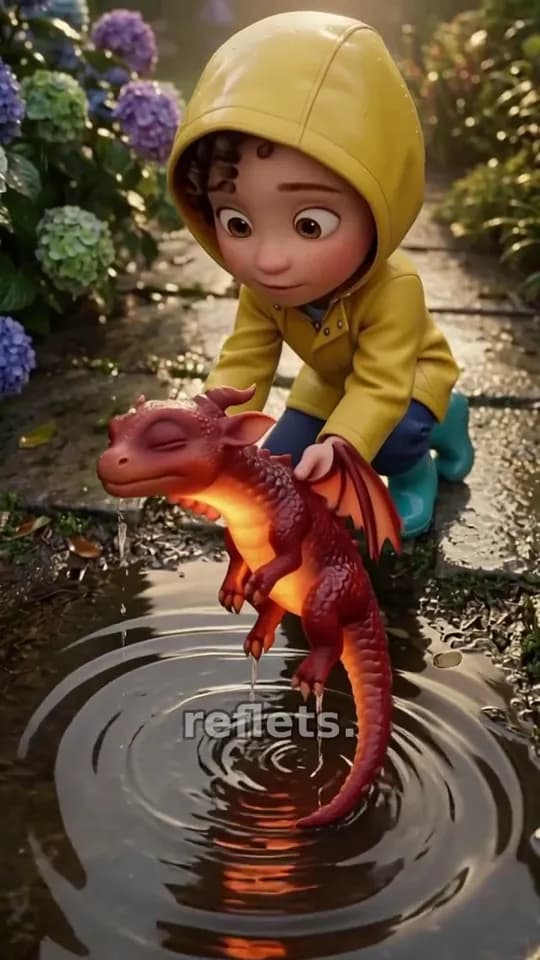
Key images taken from real stories created with the tool, each from a single sentence.


What it costs, no surprises
In credits, by look and length, without music. The exact price of your story is shown before you start; music adds 15 credits per started minute.
| Look | 30 s | 1 min | 2 min | 3 min |
|---|---|---|---|---|
| Illustrated | 86 credits | 134 credits | 236 credits | 338 credits |
| Animated | 416 credits | 794 credits | 1556 credits | 2318 credits |
| Cinema | 746 credits | 1454 credits | 2876 credits | 4298 credits |
- The 40 welcome credits do not cover a story (minimum 86 credits): you need a credit pack or a subscription. The Pack Mini (€4.99, 150 credits, no subscription) pays for an illustrated 30-s story on its own. With the 40 welcome credits untouched, the Pack Start (€1.99, 55 credits) is already enough. Every account's first story is 50% off: 43 credits for a 30-second illustrated story — the Pack Start (€1.99, 55 credits, no subscription) pays for it on its own.
- A scene refused by moderation is retried, then removed and refunded; a story that cannot be created is refunded in full.
- On the free plan, a small "ToonZap.com" watermark; a subscription removes it, a pack does too for 30 days.
- In Step-by-step mode, writing the script is free: you only pay when you start the creation.
Plans, credit packs and usage rights in detail: see pricing.
AI Story, or one scene at a time?
Until now, making a cartoon series meant generating each clip separately and pasting the character descriptions every time. Both approaches remain useful — not for the same thing.
Text → Video, scene by scene
- An 8-second clip with generated dialogue and sound, in under a minute.
- Each clip is generated alone: the characters can change from one clip to the next.
- The edit, the voice-over and the subtitles are still yours to do.
- Perfect for a single scene, a sketch or a home-made advert: cartoon from a text.
AI Story
- A complete script, 30 seconds to 3 minutes, written from your idea.
- Characters with fixed sheets, identical in every scene.
- Voice-over, lines, subtitles, music and edit delivered as one video.
- For telling a story: from the bedtime tale to the explainer video.
Frequently asked questions: AI story videos
How long does it take to create a story?
Measured on 18 October 2026 on 30-second stories: about 2 to 3 minutes in the illustrated look, 4 to 6 minutes animated, 10 to 15 minutes in cinema. A 3-minute story has six times as many scenes and therefore takes noticeably longer. You can leave the page: the story keeps being made and lands in your gallery.
How much does a story cost?
The price depends on the look and the length, and it is shown before you start. The cheapest story — illustrated, 30 seconds, no music — costs 86 credits; an animated 30-second story 416 credits, a cinema 30-second story 746 credits; music adds 15 credits per started minute. The 40 welcome credits do not cover a story: you need a credit pack or a subscription. The Pack Mini (€4.99, 150 credits, no subscription) pays for an illustrated 30-second story on its own. If your 40 welcome credits are still untouched, the Pack Start (€1.99, 55 credits) is already enough. Every account's first story is 50% off: 43 credits for a 30-second illustrated story — the Pack Start (€1.99, 55 credits, no subscription) pays for it on its own.
What happens if a scene fails or is refused?
A scene refused by the model’s moderation is retried; if it is refused again, it is removed from the story and its price is returned to you in credits — the story is delivered without it. If the whole story cannot be created, all credits are returned. Well-known characters (Disney, Marvel, Simpsons…) and celebrities are refused: describe your own characters. Content is family-friendly by default.
Can I use my own characters, from photos?
Yes: for each character, import up to 3 photos or drawings (up to 4 characters per story), give them a name and, if you like, a role. The AI builds a visual sheet from them and reuses it in every scene. You confirm that you have the right to use these images: yourself, your family with their consent, your own drawings. A minor’s face may be refused by the model; the credits are then returned.
Do the characters really speak?
In the illustrated and animated looks, the voice-over and the lines are read by AI voices (narrator and characters), with subtitles; the mouths do not move in sync. In the cinema look, the characters speak their own lines in the video, lips in sync — that is what justifies its price and its creation time.
Is there a watermark?
On the free plan, a small "ToonZap.com" watermark is embedded in the video. Any subscription removes it, and a credit pack removes it too for 30 days after purchase. Your stories belong to you; commercial use is included from the Starter plan.
Which languages and formats?
The voice-over, the lines and the subtitles exist in English, French, German, Spanish, Italian and Portuguese — you choose the language of the story independently of the site’s. The video comes out as an MP4, vertical 9:16 (TikTok, Reels, Shorts) or horizontal 16:9 (YouTube), in 30 s, 1, 2 or 3 minutes.
Do I pay for the script?
No. In Step-by-step mode the AI writes the script for free and you read it — text, lines, descriptions of characters and settings — before you start the creation and pay. In Express mode the script is written and the video started in one click, for the price shown.
Your first story is one sentence away
Create your account (no credit card), write your idea, pick the look: in Step-by-step mode you read the script before you pay.
- Refused scene: retried, then removed and refunded.
- No celebrities or protected characters; family-friendly content by default.
- Voice-over and subtitles in six languages, chosen for each story.
Go further
Cartoon from a text
A single 8-second clip with generated dialogue: the one-off scene, the sketch, the home-made advert.
Animate a photo
Start from a photo rather than an idea: the still image becomes a short video.
Talking avatar
A portrait that speaks with your voice or an AI voice, lips in sync.
All AI tools
Photo to cartoon, dance, talking photo, voices: every ToonZap tool in one place.