
Turn a photo into a coloring page
Your dog, your family, your best friend: any photo becomes clean black outlines on a white page, with every shape left empty for crayons and markers. Download it, print it, hand it over.
40 free credits at sign-up, no credit card · 12 credits per page
Before / after: four photos turned into coloring pages
Real results from the tool, untouched. The composition stays the same as the photo; textures, shadows and colors disappear so that only closed outlines remain.
 Photo
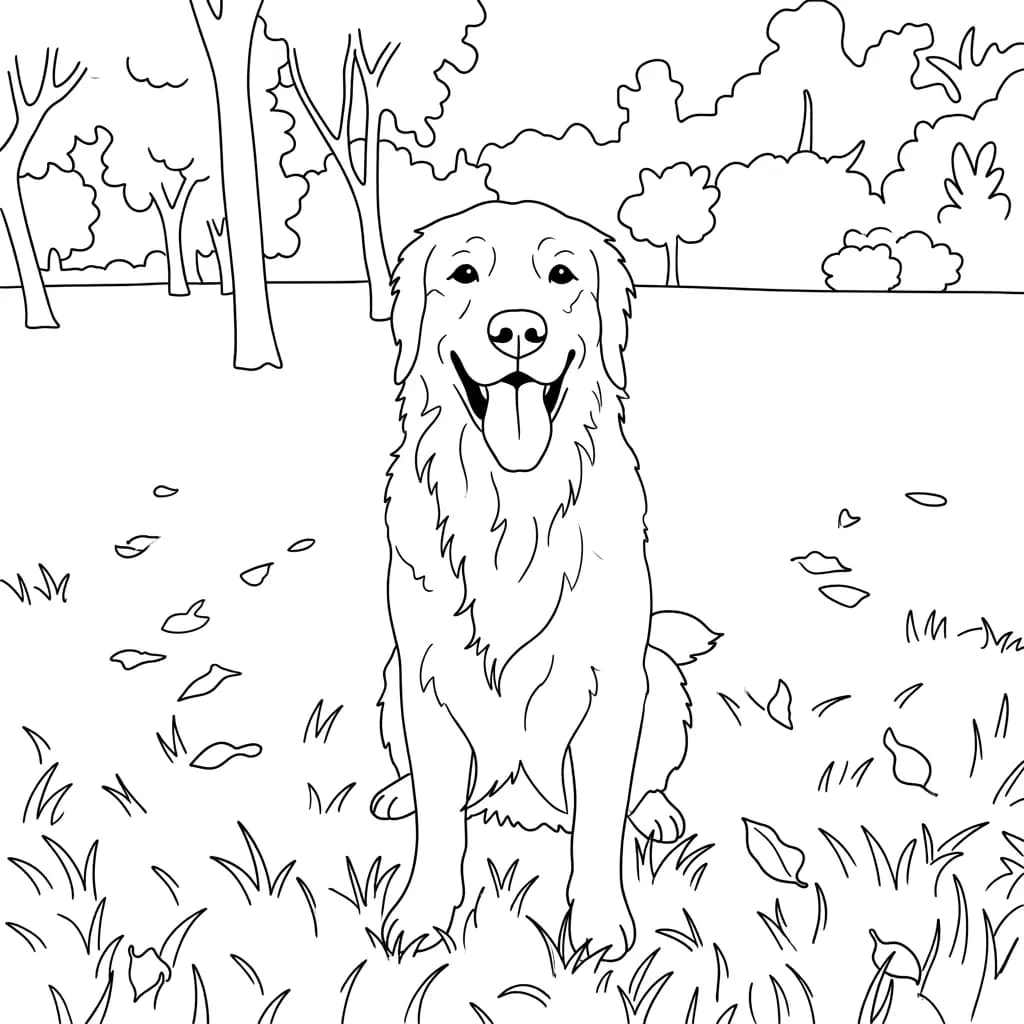 Coloring page
 Photo
 Coloring page
 Photo
 Coloring page
 Photo
 Coloring page
The starting photos were generated by AI: these people and animals do not exist. They were then transformed by ToonZap with the tool’s standard model, exactly as your photo would be.
How it works, in 3 steps
No drawing skills and no software to install: a phone photo is enough.
- 1
Upload a photo
Pick a sharp photo where the subject fills a good part of the frame. JPG, PNG or WEBP, straight from your phone or computer.
- 2
Keep the Coloring page style
The link on this page preselects it. You can add a short instruction in “Image touch-ups (optional)”, for example “remove the background” or “add a big sun in the sky”.
- 3
Download and print
The page is ready in about thirty seconds. Download the printable A4 PDF, already laid out, and print it; the PNG is there too if you prefer to print it yourself.
Which photos make the best coloring pages
A coloring page works when the outlines are few, closed and large enough for a child’s hand. The tool simplifies small details on its own, but it can only keep what it can see: a clear subject, in good light, gives clear shapes. A distant figure in a crowded street gives a page full of tiny areas that nobody wants to color.
Think about who will hold the crayons. For toddlers, choose one big subject, like a pet or a single face, and ask for a plain background in the touch-ups field. For older children and adults, a busier scene with a family, a garden or a bedroom gives more to fill in and keeps them busy longer.
- One main subject, large in the frame: crop a group photo around the people who matter before uploading.
- A sharp image with no motion blur: blurry edges become wobbly lines.
- Even light: strong shadows can turn into extra shapes on the face.
Printing your page: what to expect
Two downloads sit under your coloring page. The “Printable A4 PDF” button gives a one-page PDF with the drawing already placed: centered, with a 1 cm margin, portrait or landscape to match the picture. On US Letter paper, print it with “fit to page”. The PNG, 1024 pixels on its longest side, is there too: in that case choose “fit to page” or “scale to fit” in the print dialog. On a standard sheet the lines stay clear enough to color, because line art has no fine gradients to lose, even if they look slightly soft up close.
If you want a bigger poster, or extra-sharp lines on a full sheet, run the page through ToonZap’s upscale tool first. It costs a few extra credits, shown before you confirm. Free-account images carry a light watermark in a corner; paid plans and credit packs remove it.
Ideas for your photo coloring pages
A rainy afternoon at home
Children color their own dog, their grandparents or last summer’s beach day. They recognize what they are coloring, which keeps them at it far longer than a generic sheet.
In the classroom
Teachers turn a class trip photo, a school pet or a local landmark into a page for the whole group, and print as many copies as needed.
Birthday parties
Turn a photo of the birthday child into a coloring page for the guests’ activity table, or slip one into each goody bag as a take-home souvenir.
How much does it cost?
Creating an account is free and gives you 40 credits, no credit card required. A coloring page costs 12 credits with the standard model, so the welcome credits cover 3 pages: enough to try several photos. Free-account images carry a light watermark.
After that, the Pack Start costs €1.99 for 55 credits, with no subscription, which makes 4 pages. Monthly plans, which you can cancel anytime, remove the watermark and add credits every month.
See all pricesPhoto to coloring page: frequently asked questions
Can I turn any photo into a coloring page?
Yes: people, pets, houses, cars, landscapes. The tool redraws the whole photo as black outlines on white and keeps its composition. The clearer and larger the subject, the cleaner the page.
Is it free?
You can try it for free: 40 credits are given at sign-up, no credit card, and one page costs 12 credits with the standard model, so 3 pages. Free-account images carry a light watermark; beyond that you need a credit pack or a subscription.
Can I download it as a PDF or in A4 / Letter size?
Yes, as an A4 PDF: the “Printable A4 PDF” button under your page gives a one-page PDF, centered with a 1 cm margin. On US Letter paper, print it with “fit to page”. The PNG stays available, and on the free account the PDF carries the same light watermark as the image.
Will the page be completely black and white?
That is what the style asks for: black outlines, a white background and empty areas, with no grey shading or color. On very busy photos a few small dark details can remain; run it again or ask for a plain background in the touch-ups field.
Can I print a large poster?
For a standard sheet, the PNG prints clearly enough to color as it is. For anything bigger, enlarge it first with ToonZap’s upscale tool, which costs extra credits, displayed before you confirm.
A coloring page they will actually want to finish
One photo, about thirty seconds, one page to print. The 40 welcome credits cover 3 pages.