

"Cartoon" is not one look — it's at least fourteen. The same selfie becomes a wide-eyed anime heroine, a warm 3D movie character or a yellow-skinned sitcom cameo depending on the style you pick, and that choice shapes how people read the image far more than the photo itself does. Here's what each of the 14 AI cartoon styles on ToonZap actually looks like, and when to reach for it.
What is an AI cartoon?
An AI cartoon is an illustration produced by an image model that redraws a photo, or a text description, in a cartoon style: anime, 3D animated movie, comic book, chibi… Unlike a filter, the model rebuilds every line, so the style can change completely while the face stays recognizable.
Below, the same portrait redrawn in all 14 styles covered in this guide. Every image was generated with ToonZap from one photo, with no retouching.


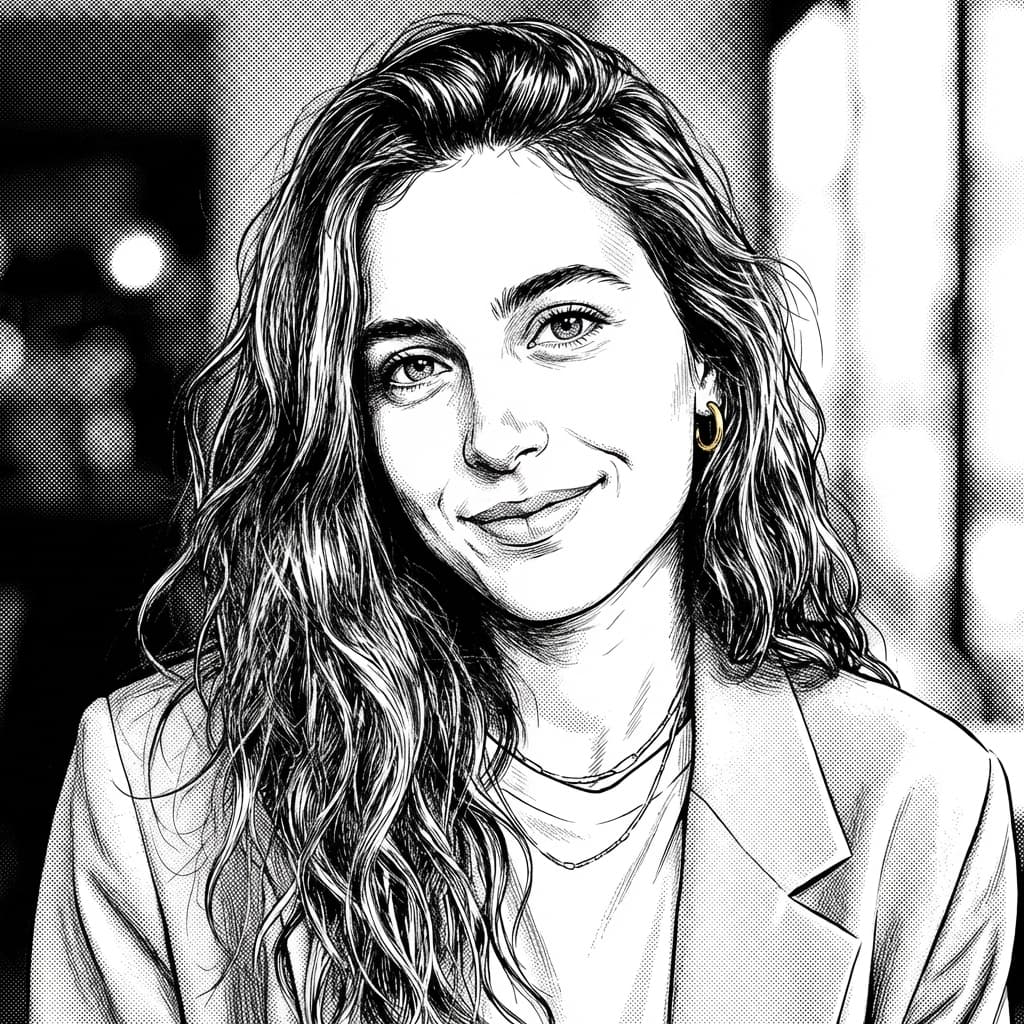

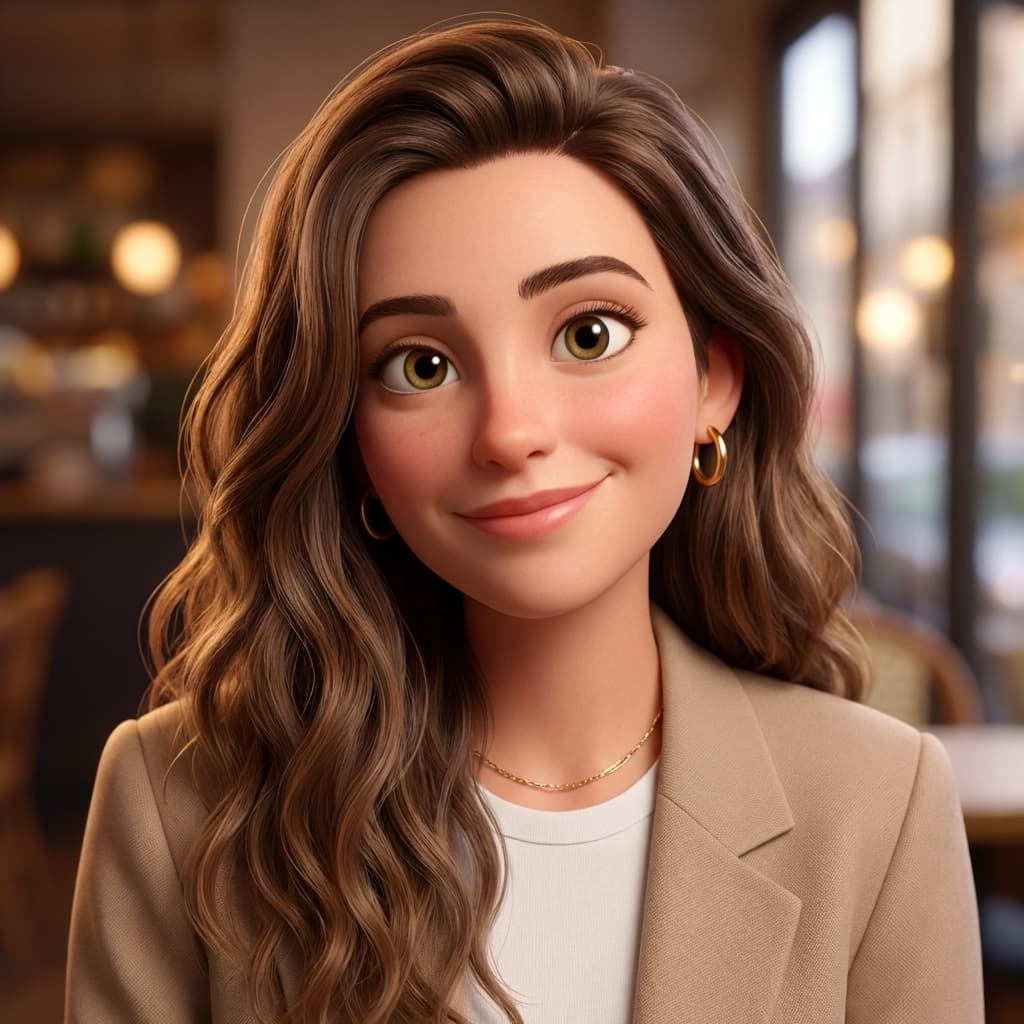

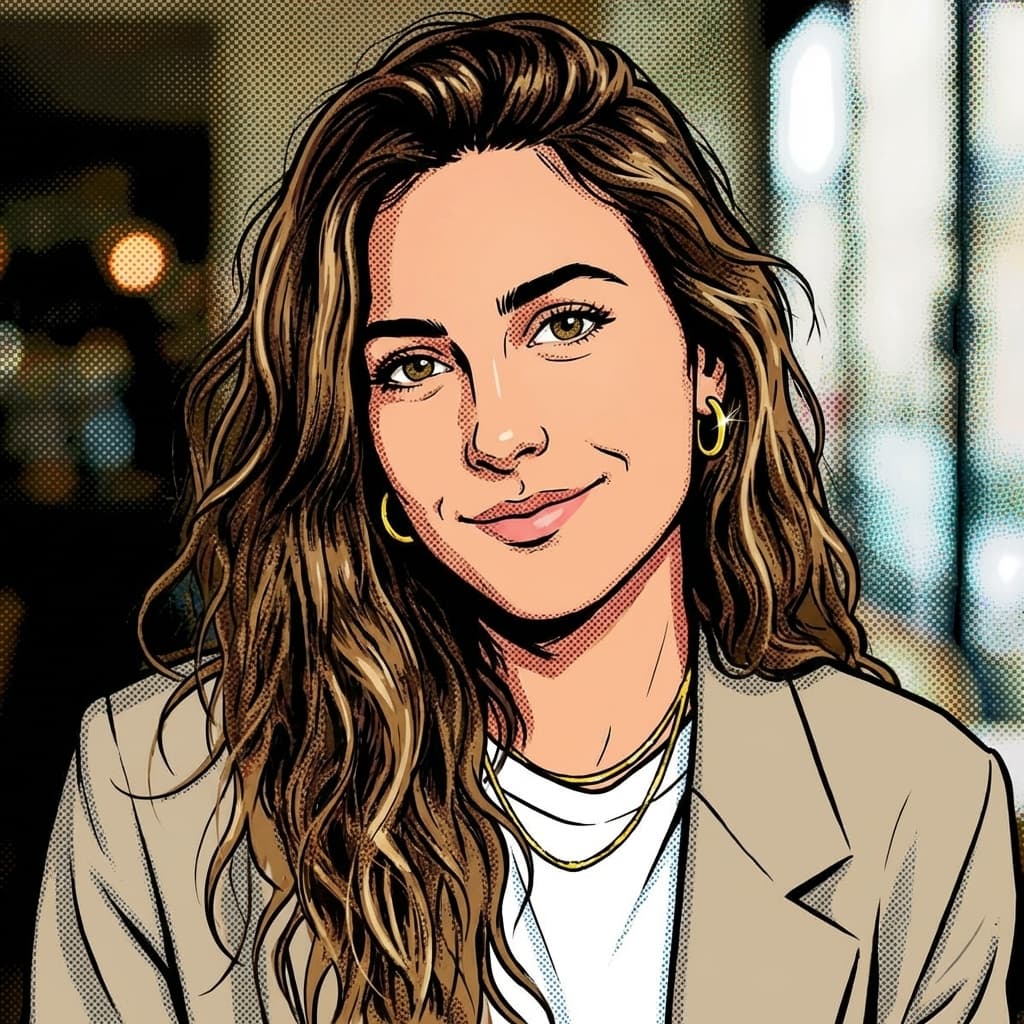


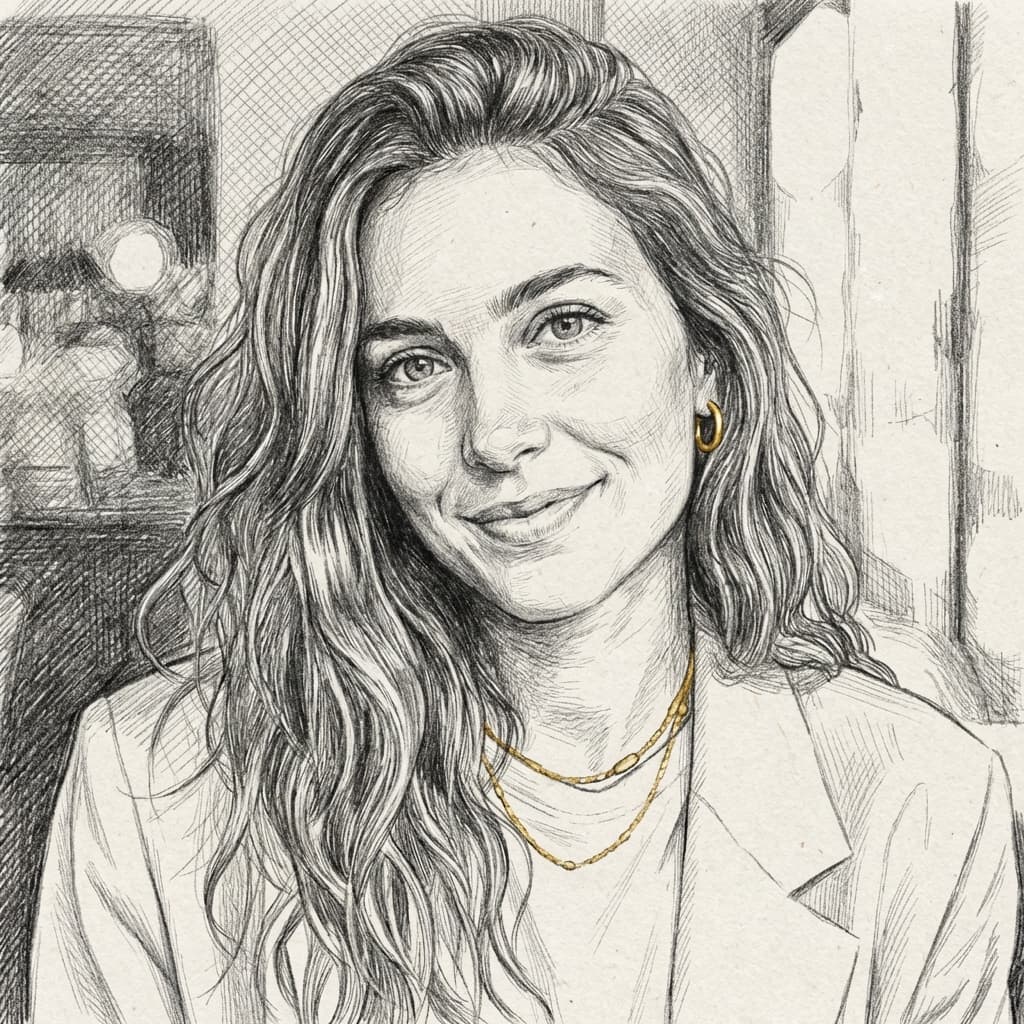


Real examples generated with ToonZap from the same photo, no retouching.
Anime and Manga — expressive Japanese linework
Anime is the most requested cartoon style on the internet for a reason: large expressive eyes, fine linework and vivid, often pastel color palettes make any portrait instantly striking. It's the natural pick for gaming profiles, fan art and social avatars with strong visual identity. Manga is its black-and-white sibling — high-contrast ink, screentone shading, pure Japanese comic aesthetics. Choose manga when you want something more graphic and dramatic than colorful.
Style words for your prompt — Anime: “anime style, cel shading, large expressive eyes”. Manga: “black and white manga, screentone, ink lines”.
Disney-style, Pixar-like 3D and Ghibli — the animation-movie looks
These three deliver the "I'm in an animated film" effect, each with a different temperature. Disney-style gives rounded features, warm smiles and fairy-tale lighting — the best choice for family portraits, kids and gifts. Pixar-like 3D renders you as a believable movie character with soft volumetric shading; it's the most versatile style of all fourteen, professional enough for LinkedIn yet friendly enough for anywhere else. Ghibli-inspired trades gloss for poetry: painterly backgrounds, natural light and a contemplative mood that flatters landscapes and quiet portraits alike.
Style words for your prompt — Disney-style: “classic 2D fairy-tale animation, rounded features, warm light”. Pixar-like: “3D animated movie, soft volumetric lighting”. Ghibli-inspired: “hand-painted backgrounds, soft natural light”.
Comic Book and Simpsons-style — bold, punchy, instantly readable
Comic book style borrows from American superhero comics: heavy outlines, dynamic shadows, saturated primary colors and pure energy. It thrives on action shots, gaming content and anyone who wants to look like they could punch through a wall. Simpsons-style flattens you into the iconic yellow sitcom look — an instant visual joke that works brilliantly for humorous avatars and pop-culture posts, less so for your company's About page.
Style words for your prompt — Comic book: “bold ink outlines, halftone dots”. Simpsons-style: “yellow-skinned 90s sitcom cartoon, flat colors”.
Chibi, Pixel Art and Neon — playful and internet-native
Chibi shrinks its subject into an adorable big-headed mini-character — the undisputed king of stickers, emotes and reaction images. Pixel art recreates you in retro video-game blocks, perfect for Twitch, Discord and anything with 8-bit nostalgia. Neon (cyberpunk) drops your portrait into a futuristic city of glowing signs and electric color — the strongest pick for tech, gaming and music branding that wants to feel like 2077.
Style words for your prompt — Chibi: “super-deformed, big head, kawaii”. Pixel art: “16-bit pixel art, limited palette”. Neon: “cyberpunk neon glow”.
Watercolor, Sketch, Vintage and Flat Design — the artistic set
Not every cartoon needs to shout. Watercolor renders your photo in soft washes of pigment, ideal for wedding portraits, gifts and anything gentle. Sketch turns it into confident pencil linework, like a street artist drew you in ten minutes. Vintage channels mid-century poster and retro pop aesthetics for a stylish, nostalgic feel. Flat design strips the image down to clean shapes and solid colors — the minimalist look you see in modern tech illustration, and the best fit for professional slide decks and websites.
Style words for your prompt — Watercolor: “soft washes, paper texture”. Sketch: “pencil, cross-hatching”. Vintage: “1950s retro poster”. Flat design: “flat vector, solid colors”.
How to pick the right style for your project
Start from the destination, not the style. Ask where the image will live, who will see it, and what it should say about you — then work backwards. A style that kills on Discord can look out of place on a company website, and vice versa.
- →Professional profile (LinkedIn, website): Pixar-like 3D or flat design
- →Social avatars with personality: anime, comic book or neon
- →Family portraits and gifts: Disney-style, Ghibli or watercolor
- →Stickers, emotes and reactions: chibi or Simpsons-style
- →Retro and gaming vibes: pixel art or vintage
- →When in doubt: run the same photo through two or three styles — it costs a few credits and the comparison decides for you
One last piece of advice: once you find your style, commit to it. Using the same style across your profile picture, banners and recurring content is what turns a nice image into a recognizable identity. The creators who get the most out of AI cartoons are rarely the ones chasing a new look every week — they are the ones a follower can identify from a thumbnail.
The photo to cartoon tool lets you run one photo through all 14 styles and compare the results side by side.
Open: Photo to CartoonAlready know anime is your look? The dedicated anime converter is tuned specifically for that style.
Try: Photo to AnimeFind your style — try three for free with your 40 welcome credits
Create your free account