

Turning a photo into a cartoon used to mean hiring an illustrator and waiting days for a draft. In 2026, AI does it in under thirty seconds — and the results are good enough for profile pictures, personalized gifts, and even brand mascots. This guide walks through the whole process: picking the right photo, choosing a style that fits your goal, and getting a result you'll actually want to use.
How AI photo-to-cartoon actually works
A modern cartoonizer doesn't slap a filter over your picture. The AI analyzes your photo — face geometry, hair, skin tone, lighting, background — and then redraws the entire image from scratch in the style you picked. That's why a good AI cartoon still looks unmistakably like you: the model preserves the proportions and details that make a face recognizable while translating everything into clean cartoon linework or soft 3D shading.
It also explains why results vary between runs. Each generation is a fresh interpretation, not a mechanical conversion. If the first attempt misses something — a hairstyle, a smile, glasses — regenerating usually fixes it. Treat the tool like a fast illustrator, not a vending machine.
Choosing the right source photo
Most disappointing cartoons trace back to a weak source image. The quality of the output is largely decided before you ever hit generate, so spend a minute picking the best picture you have.
- →Use a sharp, well-lit photo — daylight or soft indoor light beats harsh flash
- →Aim for at least 512 x 512 pixels; 1024 x 1024 or higher is ideal
- →One clear subject works better than a crowded group shot
- →Front-facing or three-quarter portraits keep the most faithful likeness
- →Avoid heavy shadows, sunglasses and motion blur — they confuse the model
Picking a style that fits the use case
Style choice matters more than most people expect, because each look sends a different signal. For LinkedIn or a professional website, a 3D Pixar-like render feels polished without being childish. For Instagram, TikTok or gaming profiles, anime and comic book styles have the strongest visual punch. For kids' portraits and family gifts, warm Disney-style or chibi renders are hard to beat. And if you want something closer to art than to a profile picture, watercolor and sketch styles turn a snapshot into something you could frame.
The quickest way to choose is to compare: here is the same photo run through all 14 styles.
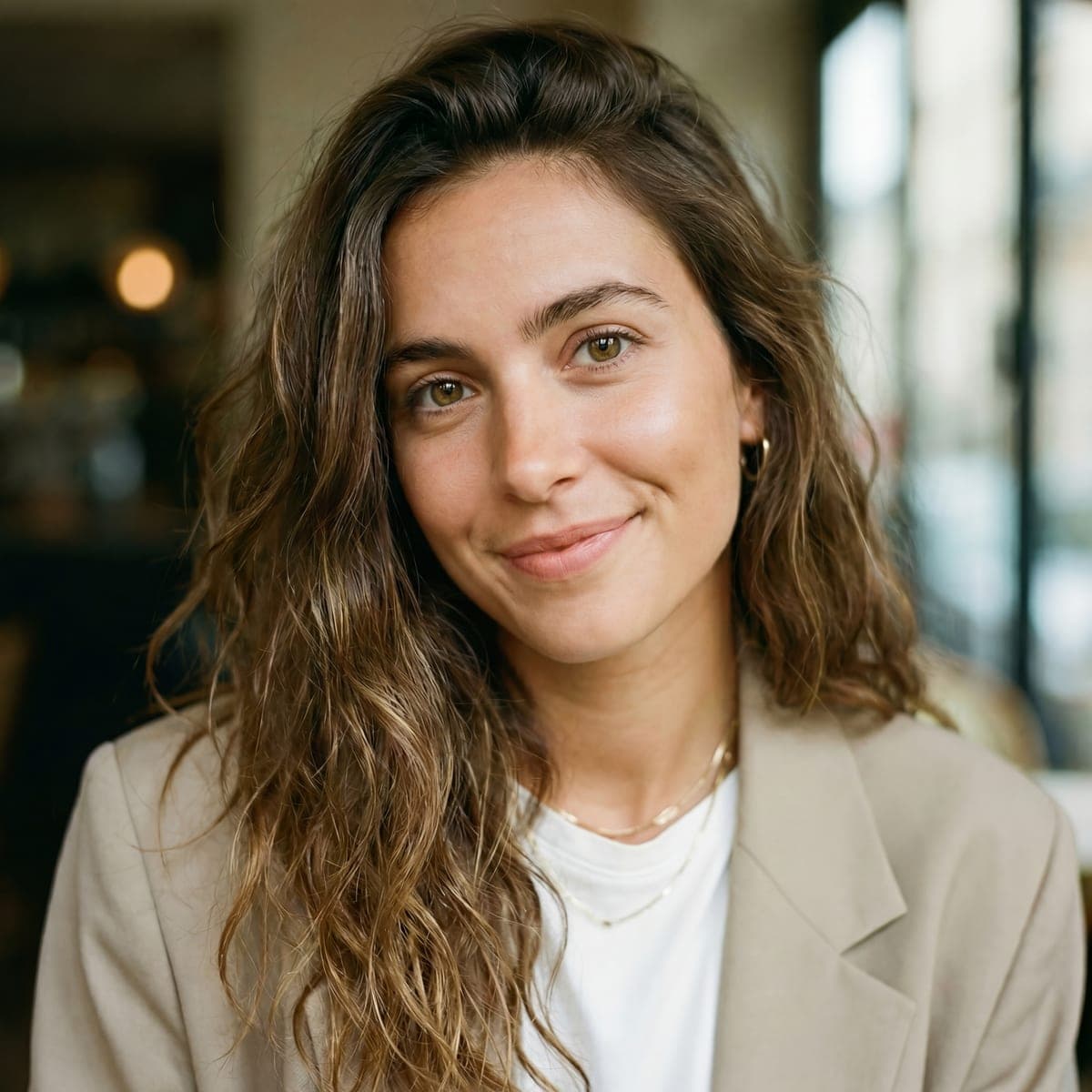

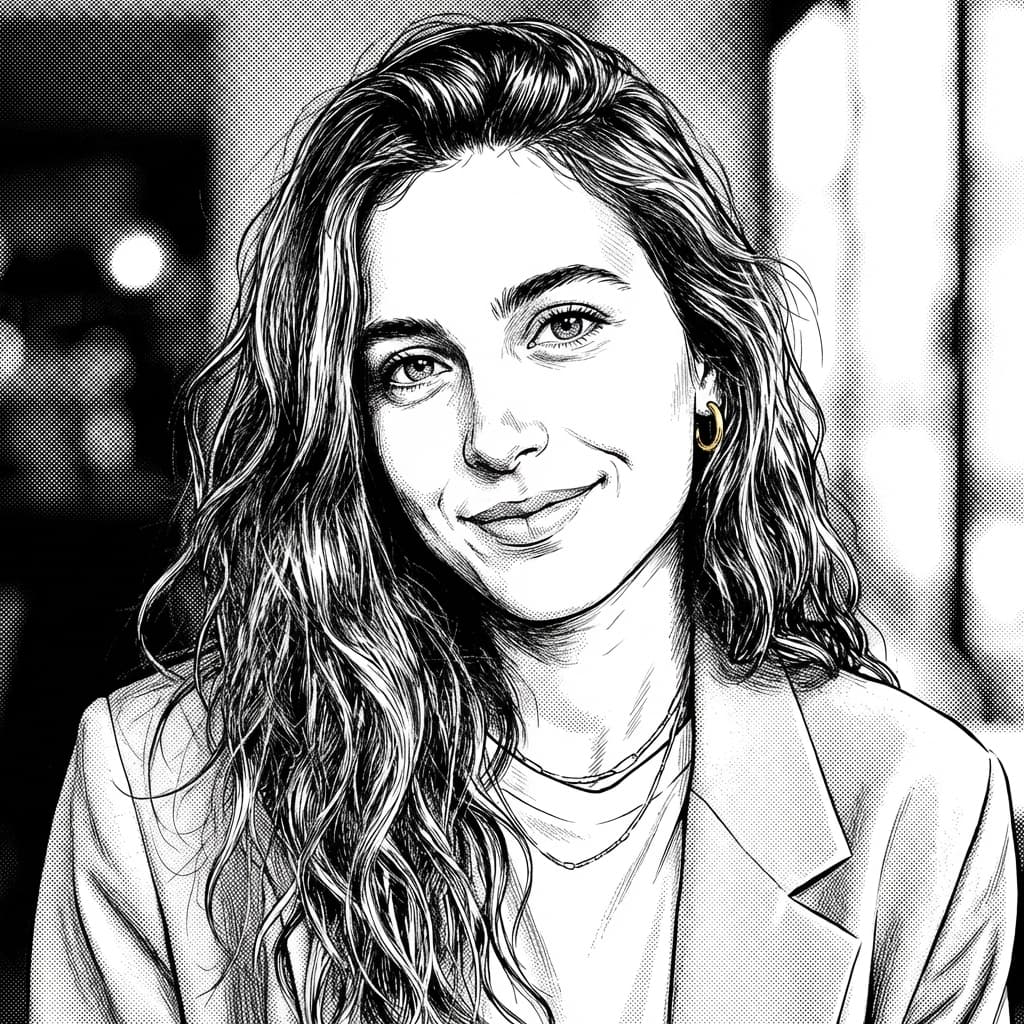

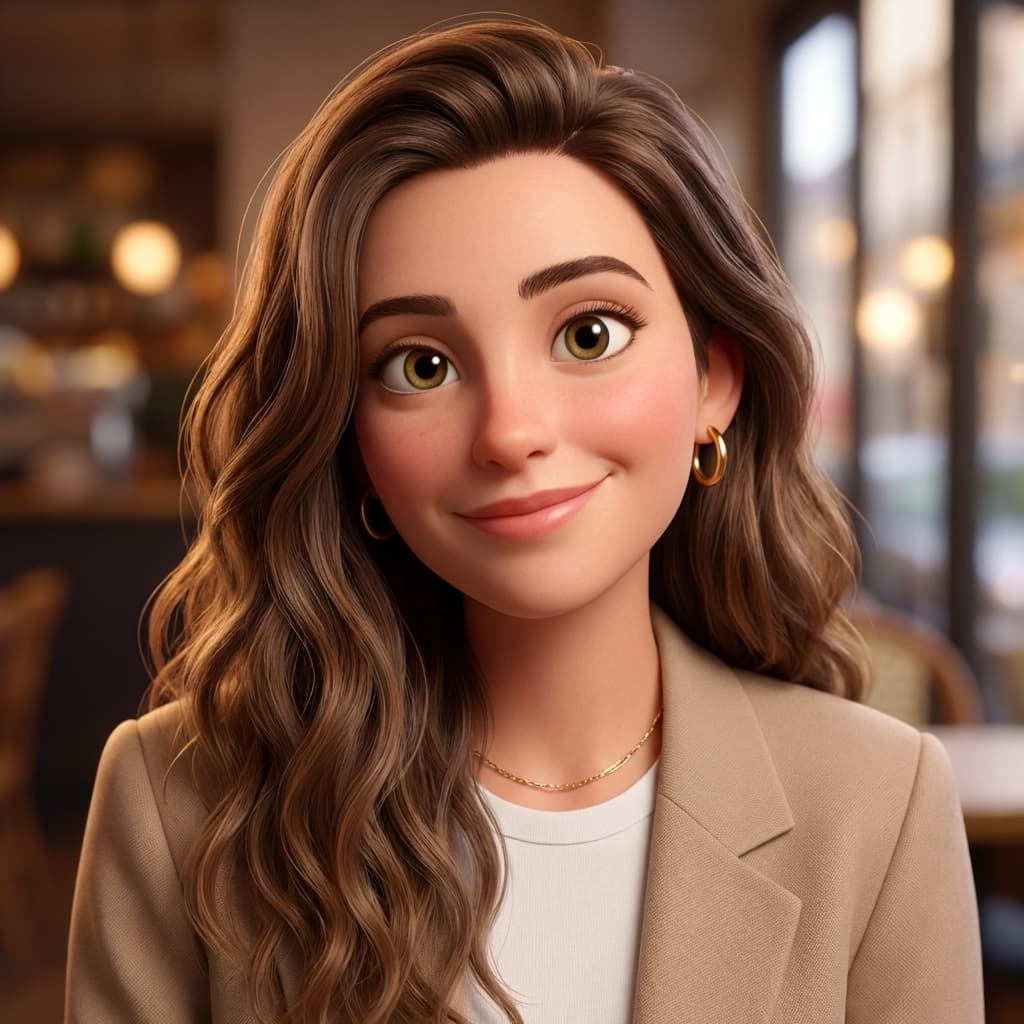

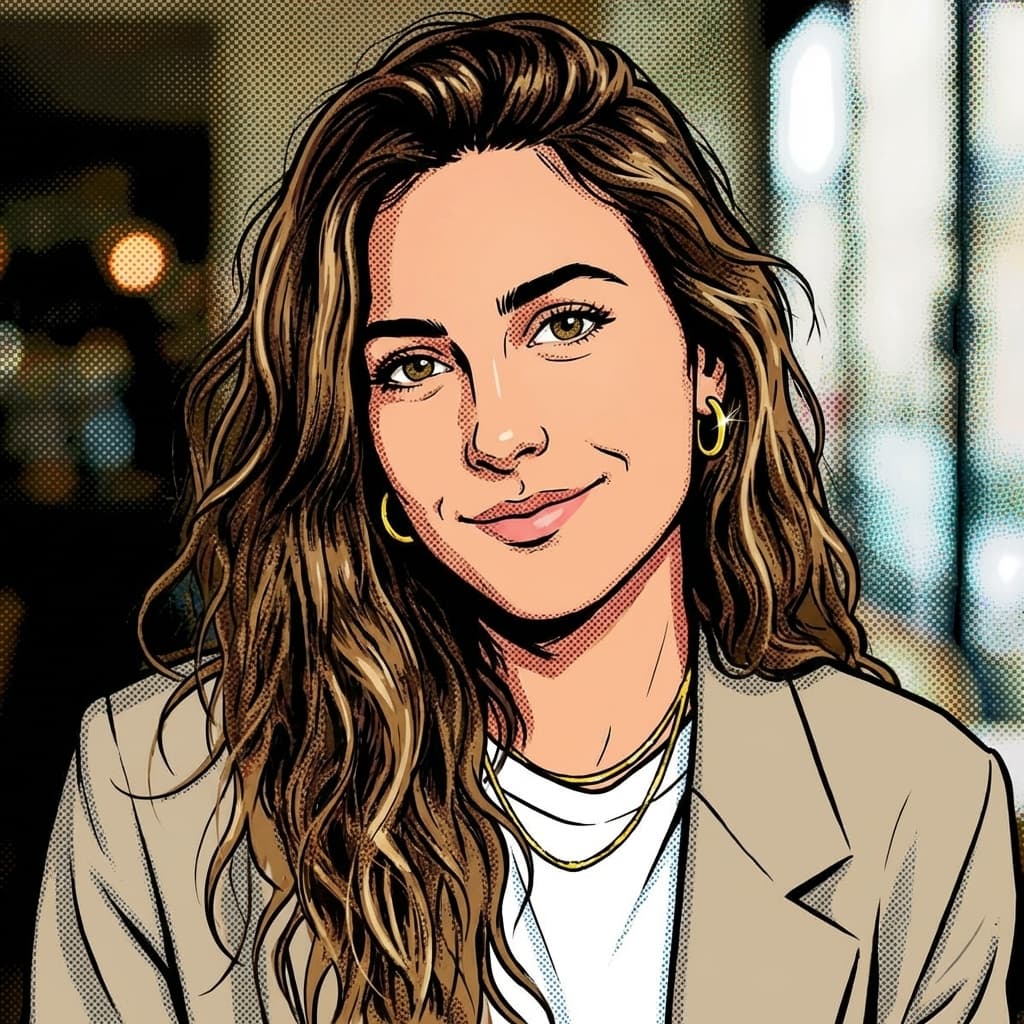


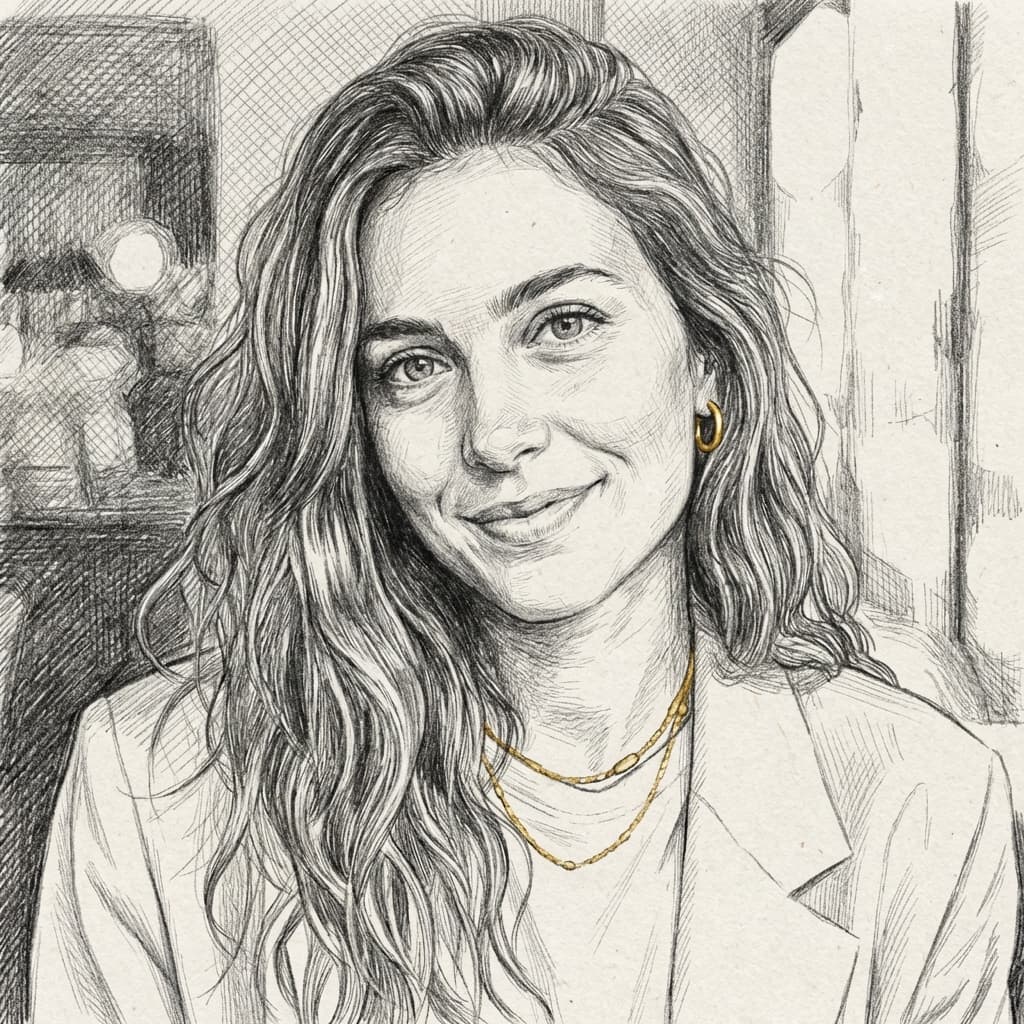

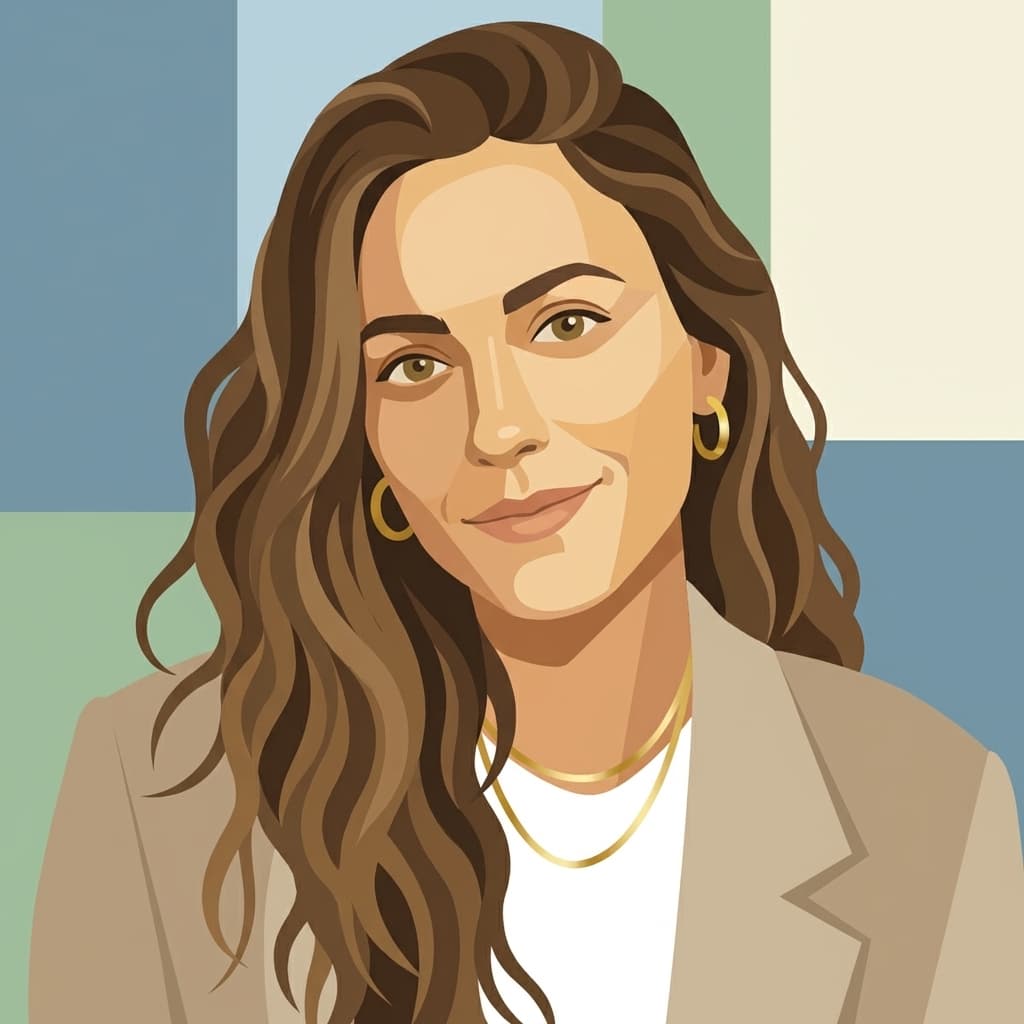
Real examples generated with ToonZap from the same photo, no retouching.
Curious what the fairy-tale treatment does to a portrait? The dedicated Disney-style converter redraws your photo with the warm, rounded look of classic animated movies.
Try: Photo to Disney StyleStep-by-step: cartoon a photo with ToonZap
- →1. Create a free account — welcome credits included, no credit card required
- →2. Open the Image to Cartoon tool from your dashboard
- →3. Upload your photo (JPG or PNG, up to 10 MB)
- →4. Pick one of the 14 styles — each comes with a preview so you know what to expect
- →5. Hit Generate and wait 10 to 30 seconds
- →6. Download in high resolution, or re-run the same photo in a different style
Each generation only costs a few credits, so the free welcome balance is enough to cartoon several photos and compare styles side by side. That comparison step is worth doing at least once: seeing your own face rendered in anime, 3D and comic book back-to-back makes the choice obvious in a way that style previews never quite do.
Five tips for a noticeably better result
- →Crop the photo so your subject fills most of the frame before uploading
- →If the likeness is off, regenerate — every run is a new interpretation and two or three tries usually land it
- →Portraits tend to look most flattering in the 3D Pixar-like style
- →Run the upscaler on your favorite result for print-quality resolution
- →Keep the original photo: you can revisit it later in styles you have not tried yet
One more habit that pays off: cartoon the same person from two different photos. A change of angle or expression in the source often produces a noticeably better cartoon, because some pictures simply give the model more to work with. Thirty seconds per attempt makes experimentation essentially free.
Can you use your cartoons commercially?
From the Starter plan upwards, ToonZap gives you full commercial rights on everything you generate. That covers the obvious cases — profile pictures and social content — but also client work, merch, book illustrations and marketing material. On the Free and Essential plans, personal use is always fine, so you can test styles and quality before committing to anything. One caveat worth knowing regardless of the tool you use: only cartoon photos you own or have permission to use, and be careful with pictures of other people — the likeness in the cartoon is still theirs.
Ready to try it on your own photo? The photo to cartoon tool supports all 14 styles and takes about thirty seconds per image.
Open: Photo to CartoonTurn your first photo into a cartoon today
Create your free account